 Rekarta
Sizes
YouTube thumbnail size
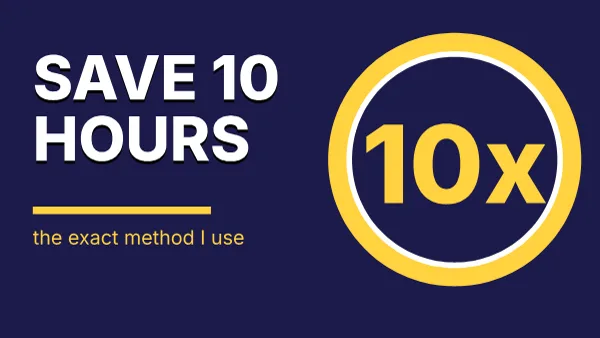
Rekarta designs a YouTube thumbnail at 1280 × 720 pixels, a 16:9 ratio. It uses at most four big words, one focal point, and keeps the bottom-right corner empty, where YouTube draws the video length. The design stays readable when shrunk to 160 pixels wide.
- Pixels1280 × 720
- Ratio16:9
Last updated
Size at a glance
| Format | Pixels | Ratio | Megapixels |
|---|---|---|---|
| YouTube thumbnail | 1280 × 720 px | 16:9 | 0.92 MP |
Good for
- Tutorial, review and vlog thumbnails
- Interview and podcast episodes
- Numbered and versus videos
Design tips for this size
- Four words at most, big and high contrast.
- One focal point: a face, an object or a scene.
- Check it small. If you cannot read it at 160 pixels wide, make the words bigger.
What to keep clear
- Keep the bottom-right corner empty: the video duration sits there.
- Headline of at most four words, readable when shrunk to 160 px wide.
- Text stays inside the safe area, does not overflow or overlap, and has enough contrast.
Ask for it like this
Paste this into Rekarta's chat, or into your own AI assistant once it is connected. Change the words to yours.
Make a YouTube thumbnail, 1280 × 720, for my video about cutting cloud costs. Words: "SAVE 60%". Yellow background, one arrow.Templates for this size
Sizes close to this one
| Format | Pixels | Ratio |
|---|---|---|
| Presentation slide (16:9) | 1920 × 1080 px | 16:9 |
| X (Twitter) post image | 1600 × 900 px | 16:9 |
| YouTube channel banner | 2560 × 1440 px | 16:9 |
| Facebook post (landscape) | 1200 × 630 px | 1.90:1 |
| LinkedIn post image | 1200 × 627 px | 1.91:1 |
Common questions
Why is the bottom-right corner empty?
YouTube draws the video length there, and it would cover anything you put in that spot.
What size is a youtube thumbnail made with Rekarta?
1280 × 720 px, a 16:9 ratio of 0.92 megapixels. This is the size Rekarta designs at. Platforms change their recommendations, so check the current requirements of the place you post to.
Do I need to set the size myself?
No. Name the size or say where the design will be posted, and Rekarta sets the canvas. Ask in the same chat for other sizes and it adapts the layout.
Make a youtube thumbnail.
The first month is free. Ask in Rekarta's chat, or connect the AI assistant you already use.